I've been on Facebook (FB) for a while and have seen many people have pages for their businesses, also called "fan pages". It was not until yesterday that I found out how to create one. I've had a MySpace business page for years and have stopped keeping up with it because MySpace became too overwhelming and full of viruses. I'm in tune with
Twitter and a bunch of other social networking sites. Now, Nature Manipulated is in tune with
Facebook too and I am hoping it doesn't turn into another MySpace.
After creating
my fan page, I did a lot of searches to find out what I can and cannot do with the page. Some of the features seem confusing as the page is linked to your personal page. By this post, I am hoping to clarify some of the confusion other people may be experiencing and hopefully find out about new features myself.
After looking through the
Etsy forums, there were two common questions I came accross:
1. How do I find my page?
2. How do I put my Etsy mini on my fan page?
Hopefully the answers provided will help you out.
1. How do I find my page?Unfortunately, Facebook does not provide an easy way for you to access your fan page from your FB home page. There are three ways of accessing it without driving yourself crazy. The most important thing is that you must remember what you named the page. Otherwise if you haven't posted anything to it, you will not find it. The easiest way is probably doing a FB search for the page name. If a lot of results show up, click on the Pages tab and look for it there. If you have already posted to your fan page, you can click on the Pages link (left hand sidebar or tab) from your personal page and it should show you the posts from your page. Click on the page name or the profile picture you selected for your page. Lastly, become a fan of your fan page and follow it in your updates. Click on the picture profile or name from the updates page.
 2. How do I put my Etsy mini on my fan page?
 The
Etsy Shop application does not work on fan pages! If you download the application and set it up to appear on your wall, it will show up on your personal page wall. Not a bad thing but you cannot use it on your fan page so don't keep trying like I did. I wasted a lot of time before Googling it.

To place your Etsy mini on your fan page:
- Click on "Edit Page" (under profile picture) from your fan page. This will bring you to a page with your settings, applications and more.
- Scroll down to the bottom of the page and click on the pencil near "More Applications" and select "Browse Applications"
- Search for
"My Stuff" by Gigya and add to your page (option on left hand sidebar).
- Go back to your fan page and "My Stuff" should be one of your tabs. If not, click the "+" button and type My Stuff. This will add the application to your tabs.
- Once the tab is available, click on "My Stuff" and then click on "Edit My Stuff". You will see an option to "Add Code".
- Click on "Add Code" and enter the Flash version code for your Etsy mini.
- Click "Add to Profile" under the code box and you are all set. If you click the "Add to Profile" at the top of the page it will add to your personal page.
Please note the code for Artfire minis is not accepted in this application.
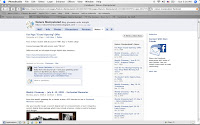
The things you can do with your fan page are pretty limited as most of the applications are for personal pages and you don't necessarily know that until you download and don't see it on your fan page. If you are unsure what works and what doesn't, either try it or Google it.
One neat thing you can do if you have a blog is import your blog into your notes. This will automatically update your notes every time you publish a new blog post. How do you do this?
- Click on "Notes" This will bring you to the "Notes" page
-If you do not see the option to "Import from blog" on the right hand side, click on "Write New Note". This will bring you to a page with a text box. On the right hand side there should be the option to "Import from Blog". I had to try two times before seeing the import link.
-Once you find the import link, put in your blog URL and it will import your most recent posts
-Click "Publish" and you are done.
One last tip, when you fan and comment on other people's fan pages, please note your personal profile picture comes up, not your fan page picture. This means if you comment, make sure to put a link to your fan page and/or write in your fan page name so the page owner knows where to find your fan page.
Remember, once you hit 101 fans, you will have the option to pick and secure your fan page URL. If you are under 100 fans, you may have noticed your URL is long and has a bunch of numbers at the end. After 100 fans, that can change, and you can shorten it to http://www.facebook.com/fanpagename.
Lastly, and most importantly, if you do not have a fan page and have no idea how to create one, visit
this Etsy forum post for a very detailed step-by-step guide. It has screen shots and all.
Hope everyone found this useful!




 Posts
Posts




 Yaami Handmade
 IndieSpotting
 craftgawker